
10 Google Display Ads Examples for SaaS and Tech Brands

October 1, 2026

The best SaaS display ads explain one idea in about two seconds and send the click to a page that continues the same idea. This guide covers 10 brand examples, use cases, sizes, good vs bad comparisons, industry notes and a design checklist.
- Display ads prepare the next step. They explain value and do not close sales
- One clear message beats a list of features: a pain point, a benefit or a metric
- Showing the interface or a real scenario builds trust faster
- One visual focus and one CTA beat an overloaded creative
- Display works best with warm audiences and supports Search and Performance Max
- If the landing page does not repeat the promise, the click is wasted
Display works best inside a wider account: Search captures intent, display and remarketing keep you in front of warm visitors, and everything is measured against pipeline. That is the job of Google Ads management for SaaS: one team owning structure, creative testing and CRM-based reporting, so display is judged on qualified leads, not impressions.
How Do the 10 Display Ad Examples Compare?
The table compares all 10 reviewed ads by message, visual approach and proof element, so you can pick the pattern that fits your goal.
Which Banner Sizes Should You Cover?
Most SaaS campaigns need responsive display ads plus four classic banner shapes:
- Medium rectangle (300 x 250)
- Leaderboard (728 x 90)
- Half page (300 x 600)
- Large mobile banner (320 x 100)
Ask your designer or agency to adapt the message to each shape instead of shrinking one layout. For exact file requirements, see Google Ads Help.
The Google Display Ad Examples for SaaS and Tech Brands
Cluster 1: Brand and Awareness Display Ads (Semrush, Adobe, Canva)
1. Semrush
Semrush is a marketing platform with more than 50 services for managing campaigns. Its latest banner continues the style of its video campaign.
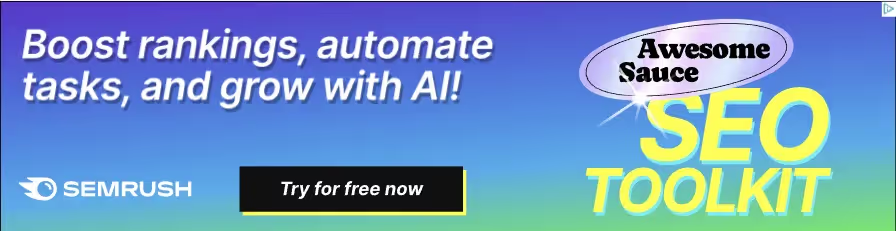
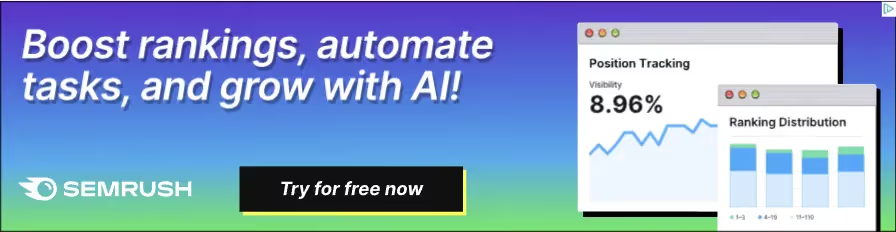
Semrush is a marketing platform with more than 50 services for managing campaigns. Its latest banner continues the style of its video campaign.
Creative breakdown:
- Hook: a GIF with smooth animation. Moving images pull more attention than static ones
- Visual: gradient background, yellow type, and a shiny price-tag sticker on a sofa that echoes the brand's flashy video campaign
- Proof: the second frame shows graphs with the metrics the product can influence
- CTA: a free trial button
Takeaway: Carry the look of your video or social campaign into display, so the banner feels like a continuation of a story and not a new ad.
2. Adobe
Adobe makes software for many design areas, so its advertising is anything but dull. Banner styles change with the goal of each campaign.
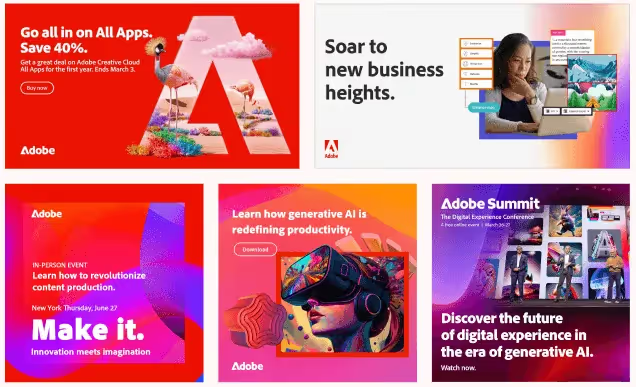
Creative breakdown
- Hook: bright color, unique geometric patterns or gradients, even in minimal layouts
- Visual: highly detailed images that show what the tools can create
- Copy: loud, inspiring headlines that invite action without pushing
Takeaway: If your product creates visual output, let the creative show it. If it does not, borrow the confidence and the contrast, not the visual complexity.
3. Canva
Canva is an online platform for creating visual content, popular with professional designers and ordinary users alike. Its banners are simple, clear and memorable.
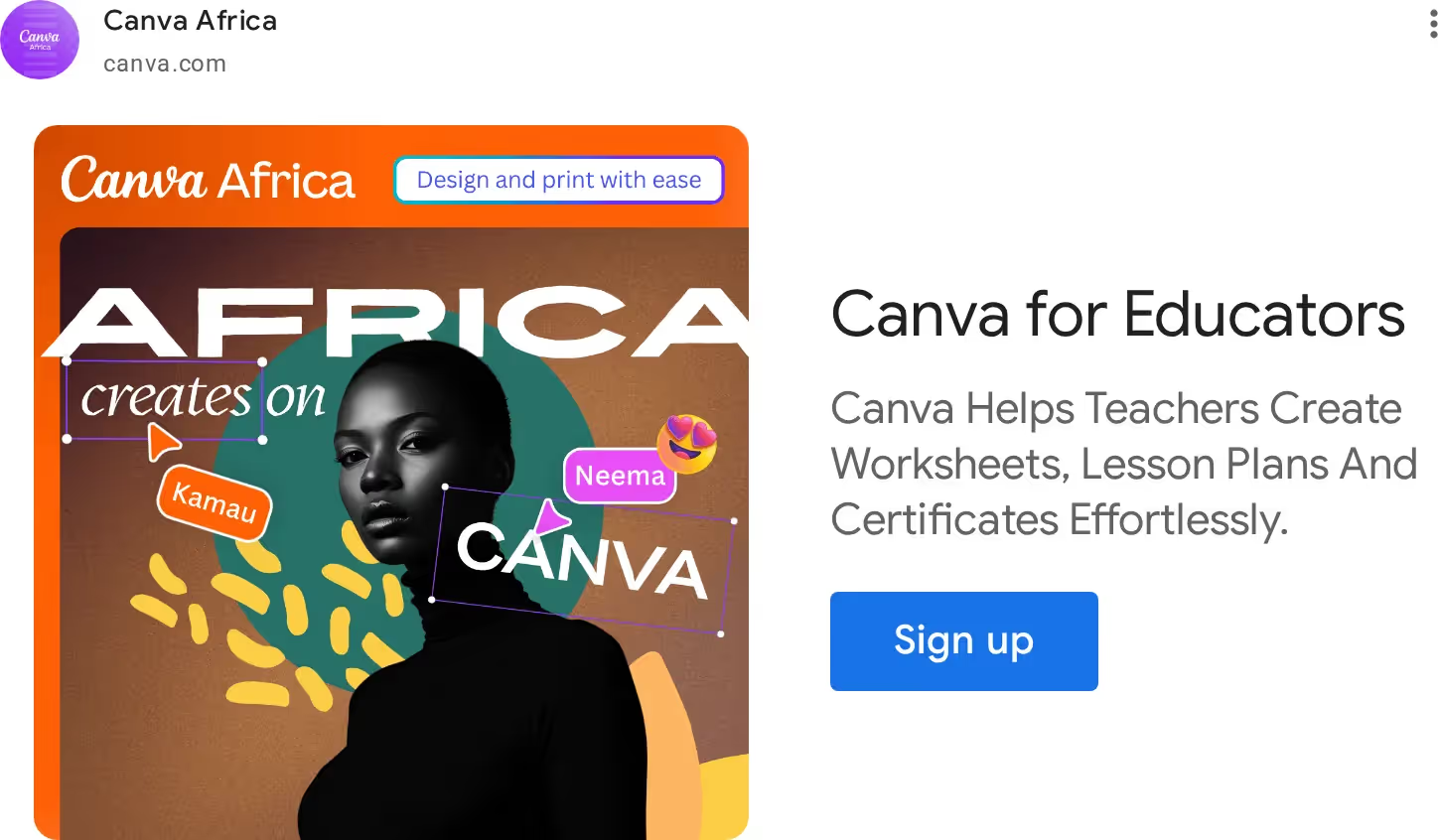
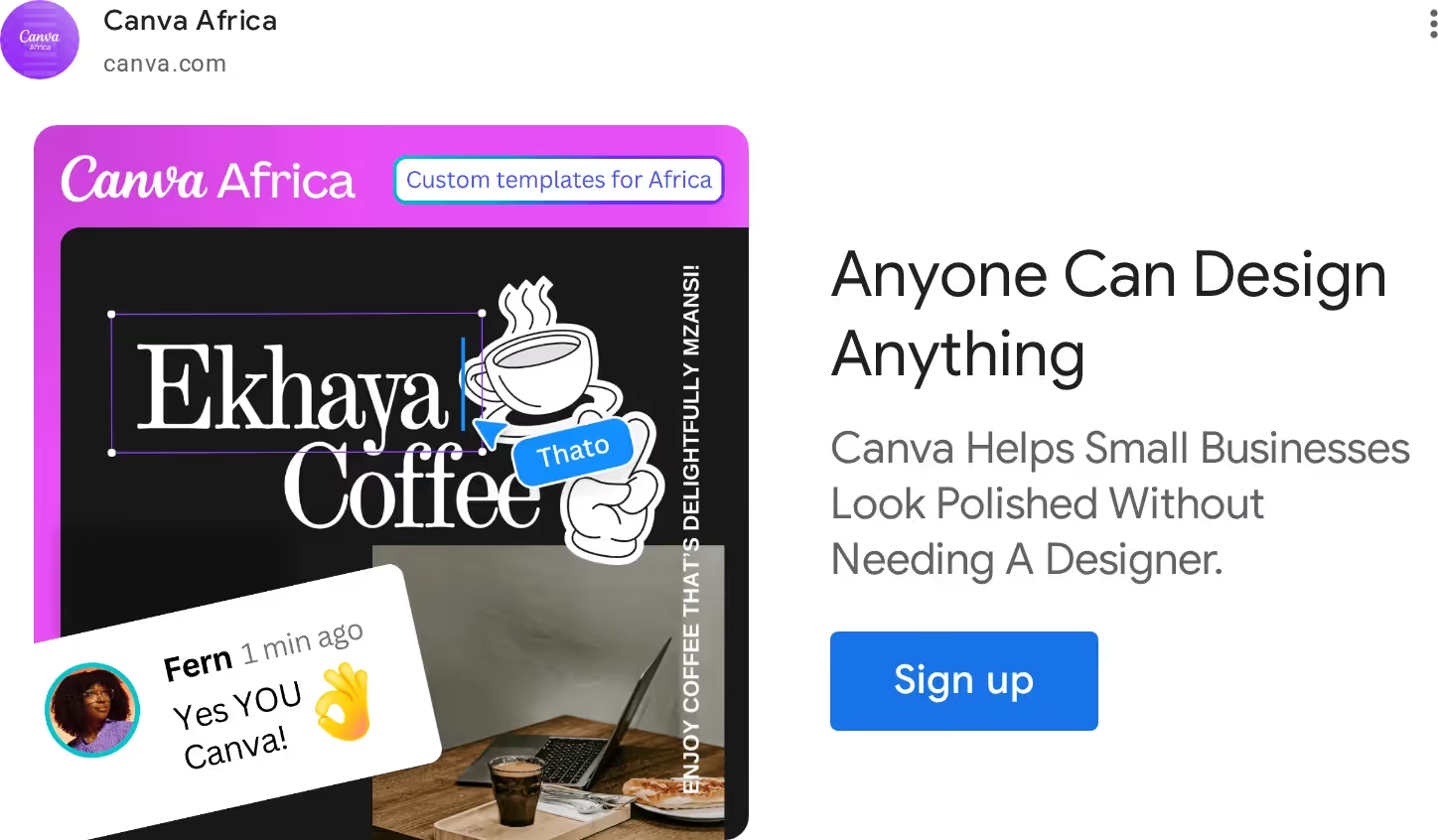
Creative breakdown
- Hook: a familiar highlight tool from the interface, which signals "you do not need to be a pro"
- Visual: collage of images with extra meaning, tied to a social initiative that supports small and medium businesses
- Message: anyone can take part
Takeaway: Recognizable interface elements communicate ease of use faster than a sentence about ease of use.
How to apply this
- Use brand-led creatives for prospecting audiences, and keep a separate, plainer set for remarketing. Paid campaigns can grow a young brand fast: our Uppbeat case study shows 670K+ new users from PPC.
- Choose one brand device (motion, a color, a sticker, a collage) and repeat it across every size, so your ads are recognizable in a crowded placement.
- Judge these ads on assisted conversions and branded search growth, not only last-click results.
Cluster 2: Social Proof and Trust Display Ads (Slack, Asana)
4. Slack (from Salesforce)
Slack is one of the most popular corporate messaging apps, covering communication, file sharing and team integrations. Its latest ad features customer reviews.

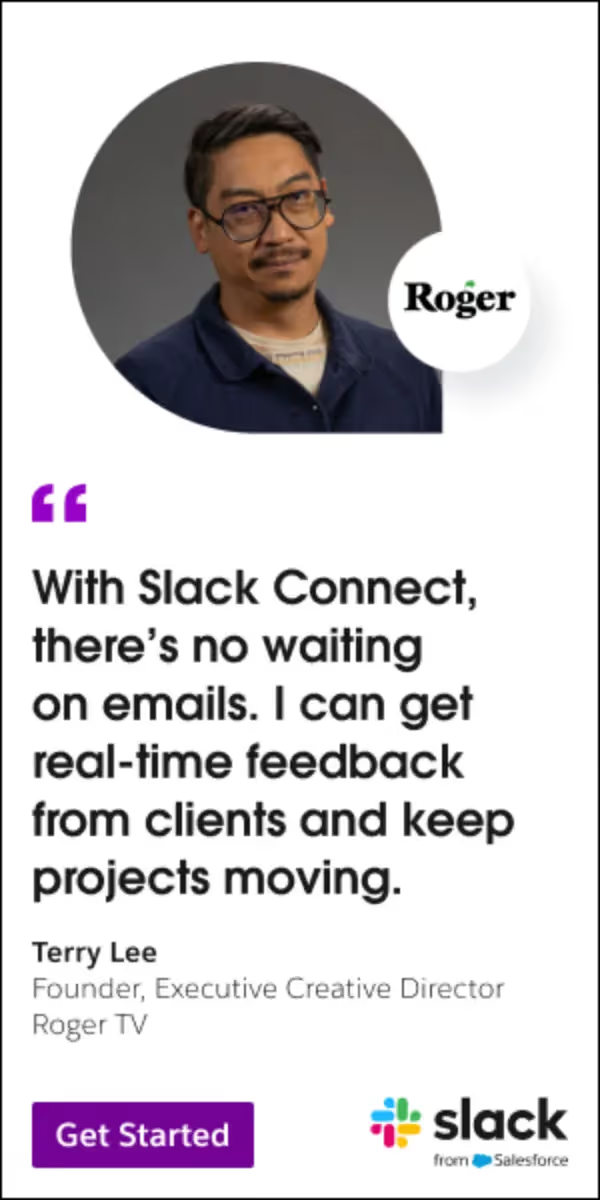
Creative breakdown:
- Hook: a coupon-style banner that carries a real customer review about a specific benefit
- Proof: the customer's signature in the first banner, a longer review plus a photo in the second
- Visual: minimalist, light background, large logo, nothing superfluous
- CTA: a 50% discount, which works well in display and is common in SaaS remarketing
Takeaway: A specific review with a name and a face does more than a general claim. Keep the layout so plain that the quote is the design.
5. Asana
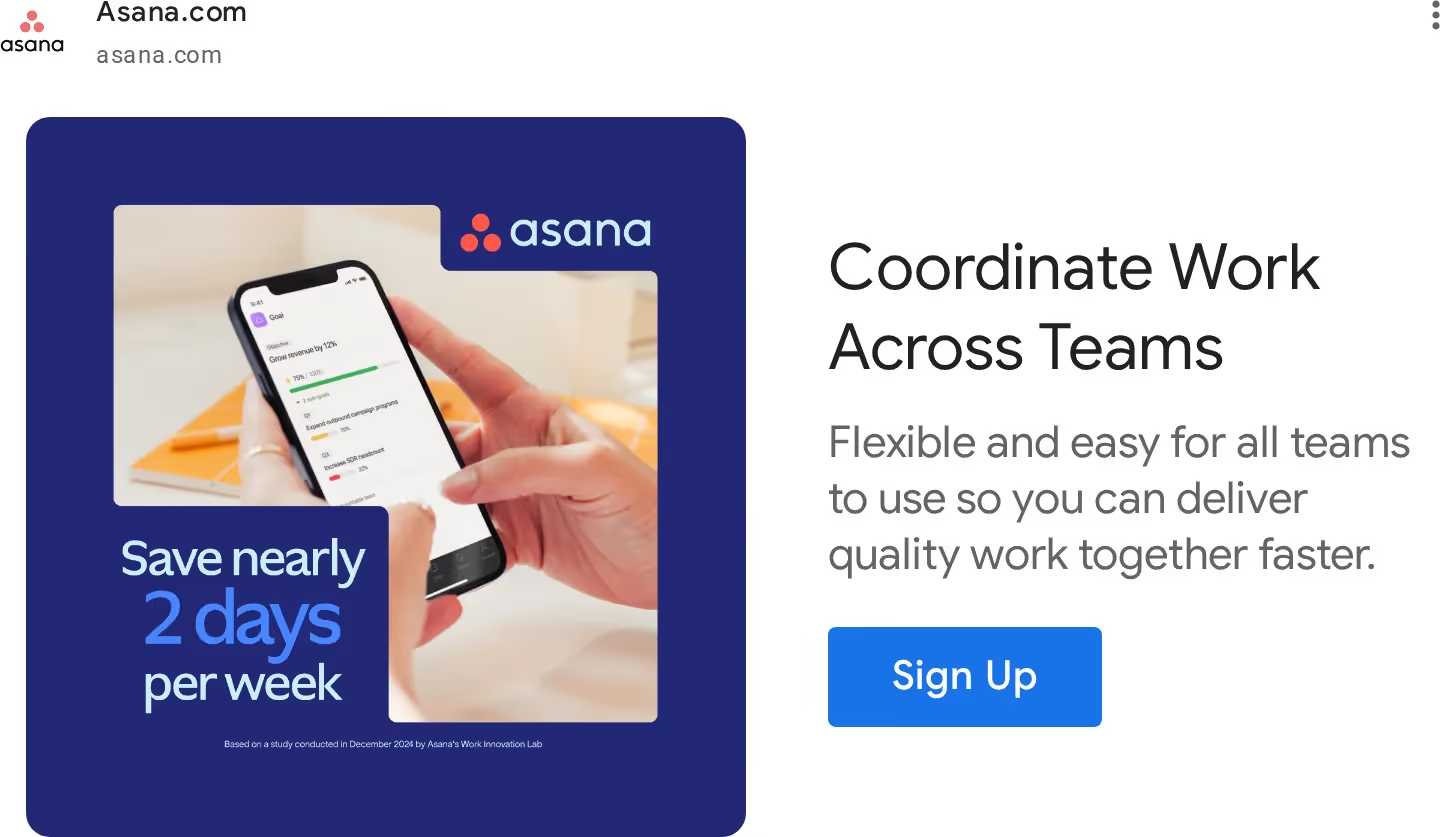
Asana is a project management app that serves businesses of all sizes and types. Its banner leads with a time-saving promise.
Creative breakdown
- Hook: a social proof claim built on internal statistics, saving two days of the workweek
- Visual: logo, a smartphone and part of the interface, which also signals that a mobile app exists
- CTA block: explains the product for people who knew nothing about it
Takeaway: Time saved is one of the easiest benefits to understand. If you have a number from your own customer data, lead with it.
How to apply this
- Collect one quote per segment from your customer success team and ask for a role and company name you can show. Anonymous quotes lose most of their power.
- Use proof-led creatives in PPC remarketing services setups for pricing-page, trial and demo-page visitors, where trust is the missing step.
- Keep discounts for the audiences that need a push. Do not offer 50% off to people who have not seen your product yet.
Cluster 3: Product Demo and Education Display Ads (HubSpot, Atlassian, Zapier)
6. HubSpot
HubSpot is a giant in marketing tools and one of the world's leading CRM systems. Its banners explain the product clearly and show the interface.
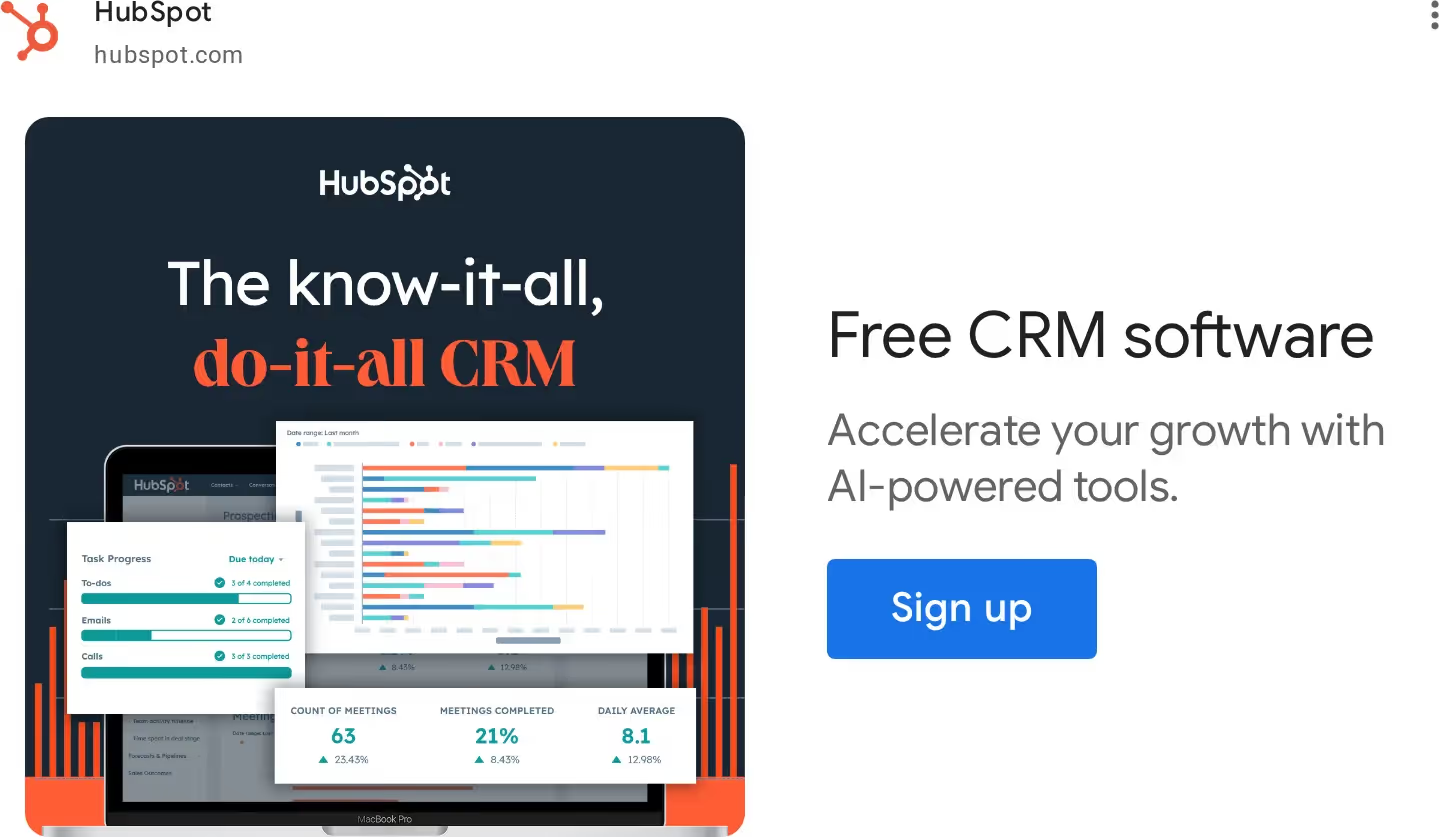
Creative breakdown
- Hook: a simple, catchy slogan that explains the service even to someone who has never heard of the company
- Visual: the slogan acts as a thesis, and interface and metric screenshots back it up
- CTA: a block that stresses a free trial
Takeaway: State the claim in words, then prove it with a real screen. The screenshot is the evidence.
7. Atlassian (Jira)
Atlassian develops project management software, including Jira for development and IT teams, plus Trello and Bitbucket. Its ads reflect the different users of each tool.
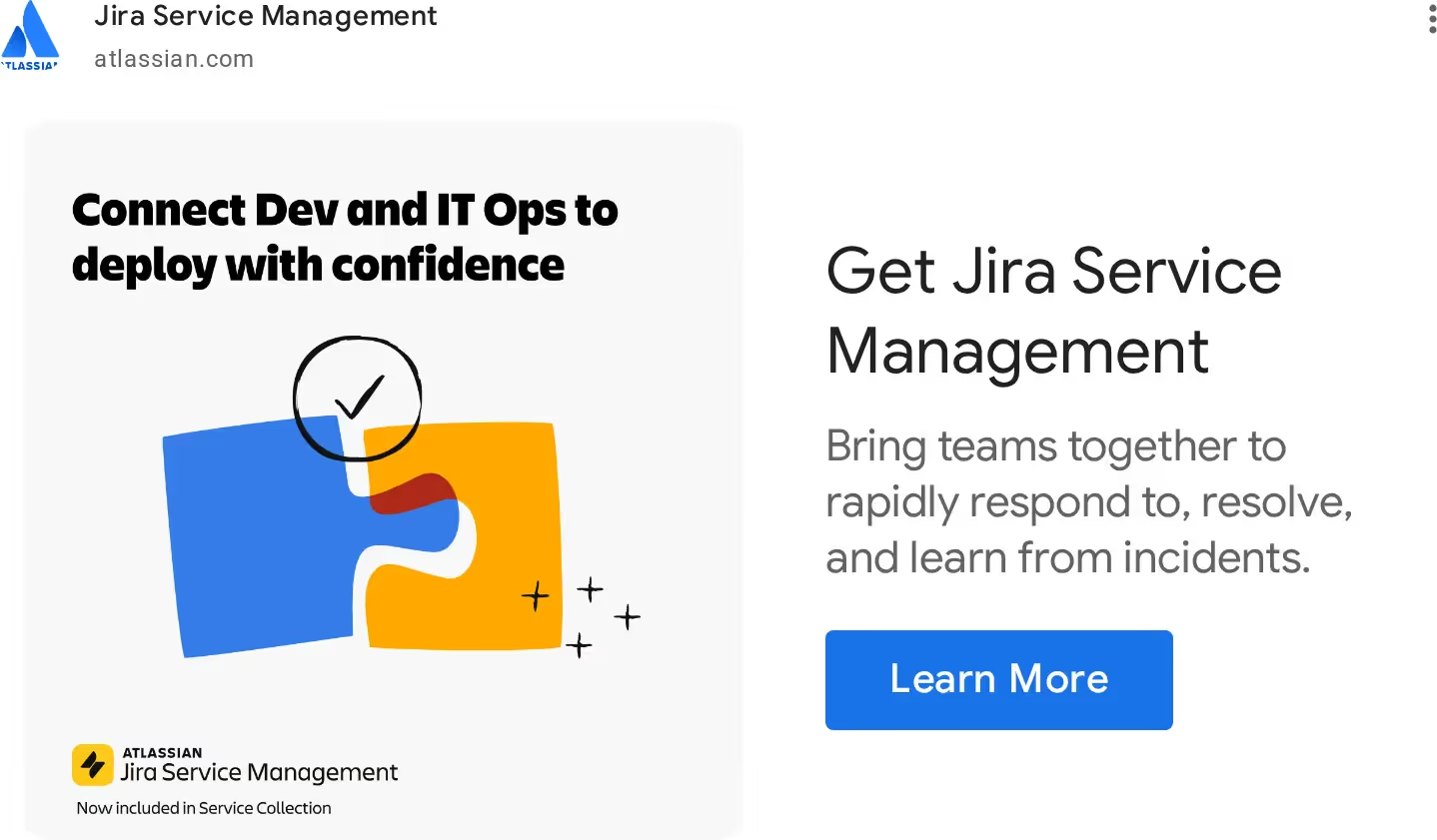
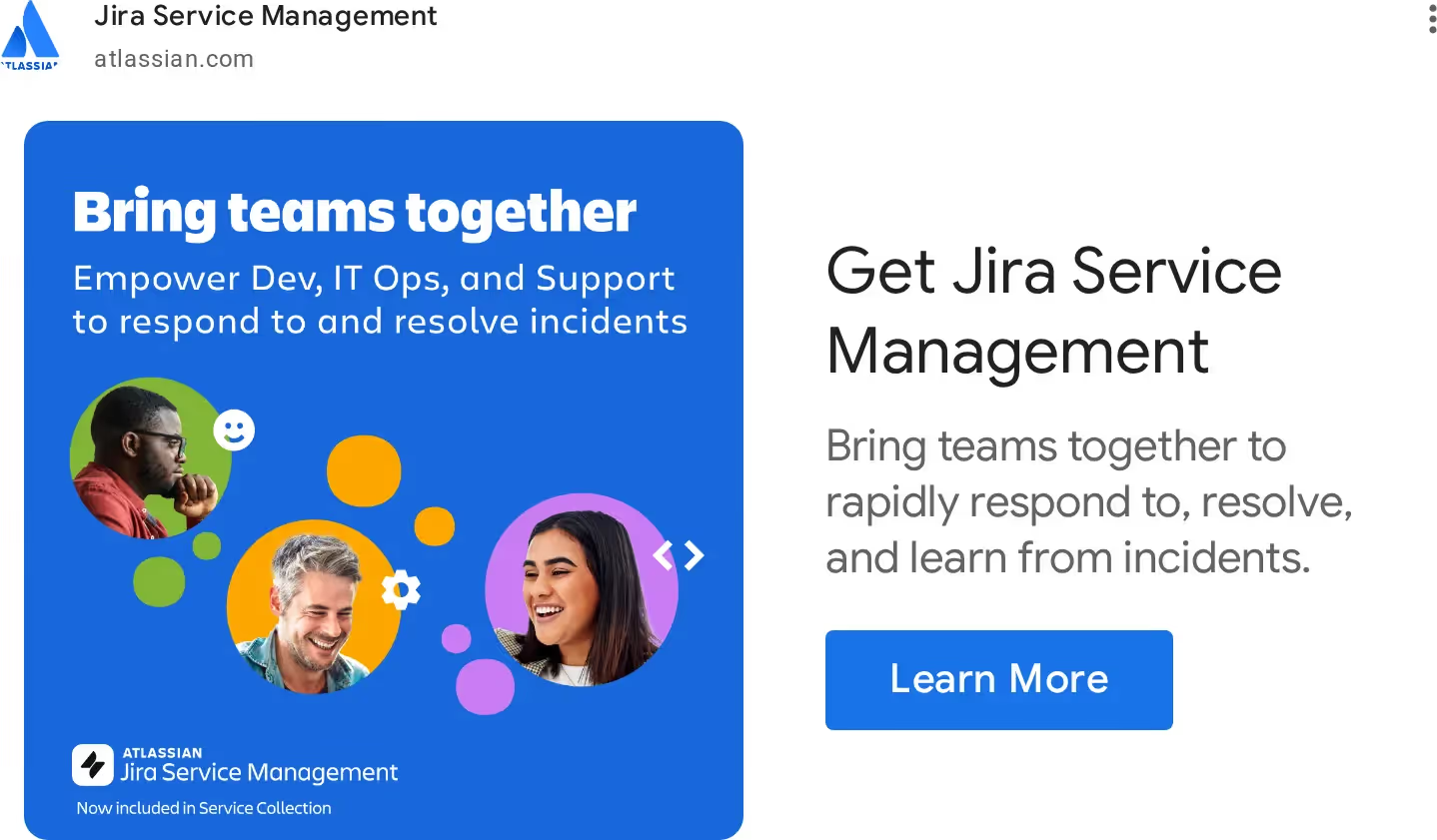
Creative breakdown
- Brand: a recognizable logo on every ad, whichever product is promoted
- Visual: one clear image per banner, whether an illustration, an icon or a photo
- Copy: very little text, because the audience already knows the product and the banner points to an advantage or a feature
Takeaway: If the audience knows you, cut words. A single image and one feature beat a paragraph.
8. Zapier
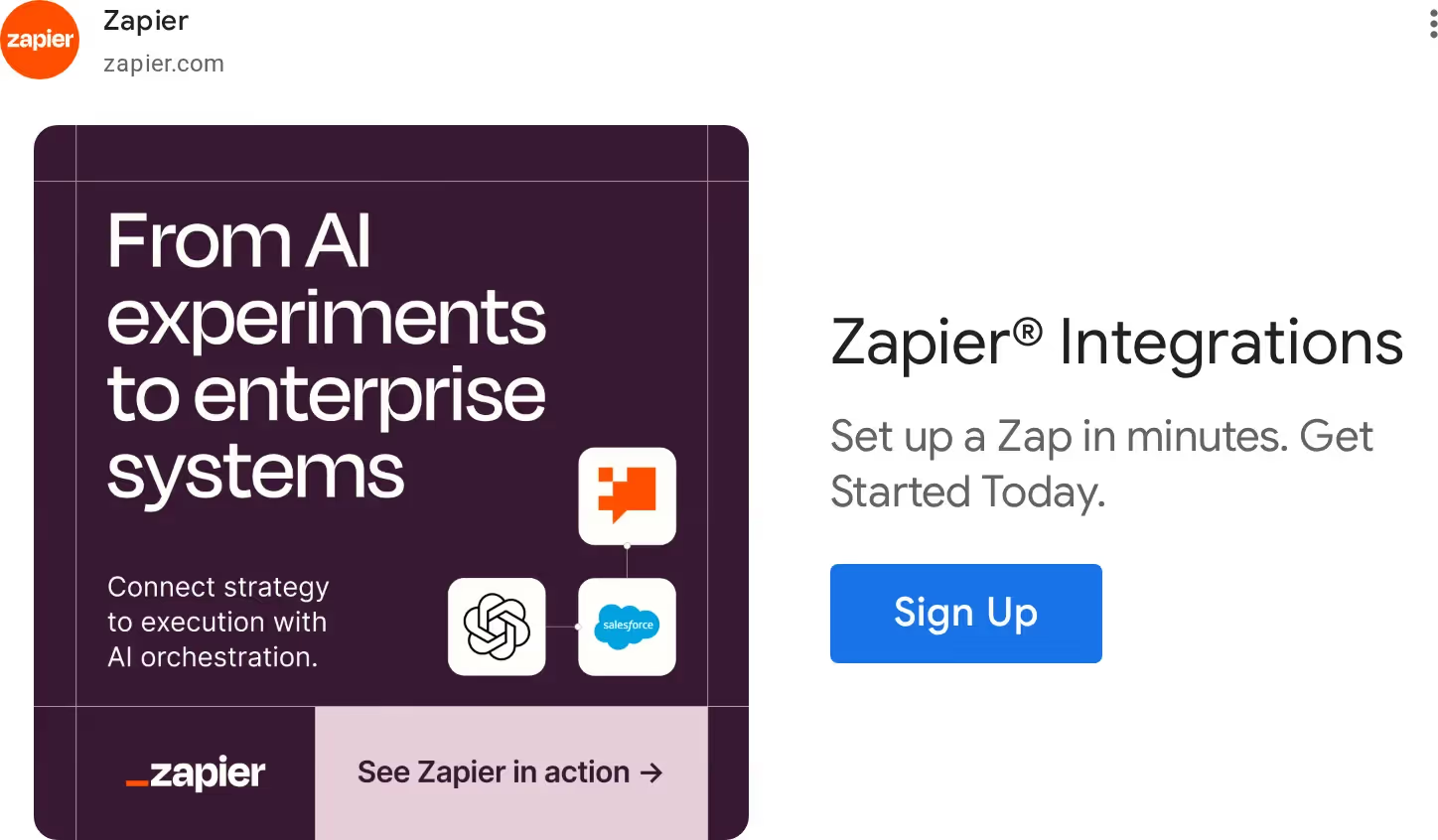
Zapier is an integration platform that connects web applications in a few simple steps, with no IT specialists needed. Its banners show this simplicity.
Creative breakdown
- Hook: a clear slogan about AI automation across tools
- Visual: service icons framed to suggest one unified space
- Trust: references to major brands such as Salesforce and OpenAI
- CTA: several buttons, one embedded in the visual, which raises the chance of a click
Takeaway: For integration products, show the logos of tools your buyer already uses. That is the whole pitch.
How to apply this
- Choose one product screen that proves the headline, and crop it tightly. A full dashboard screenshot becomes unreadable at small banner sizes.
- Make sure the page behind the click opens on the same screen or the same promise. Landing page design for paid campaigns should repeat the ad's headline above the fold, so the visitor does not have to re-decide. Conversion gains add up across the funnel: our Originality AI case study shows a 210% higher conversion rate.
- For integration or platform products, build one banner variant per top integration and send each to a matching page.
Cluster 4: Trend and Thought Leadership Display Ads (Webflow, Splunk)
These ads open with a market shift or a risk, and offer help second. They suit decision-makers who respond to relevance, not to features.
9. Webflow
Webflow is a no-code platform for building websites, with a site editor, CMS, marketing tools and integrations with other popular services.
Creative breakdown
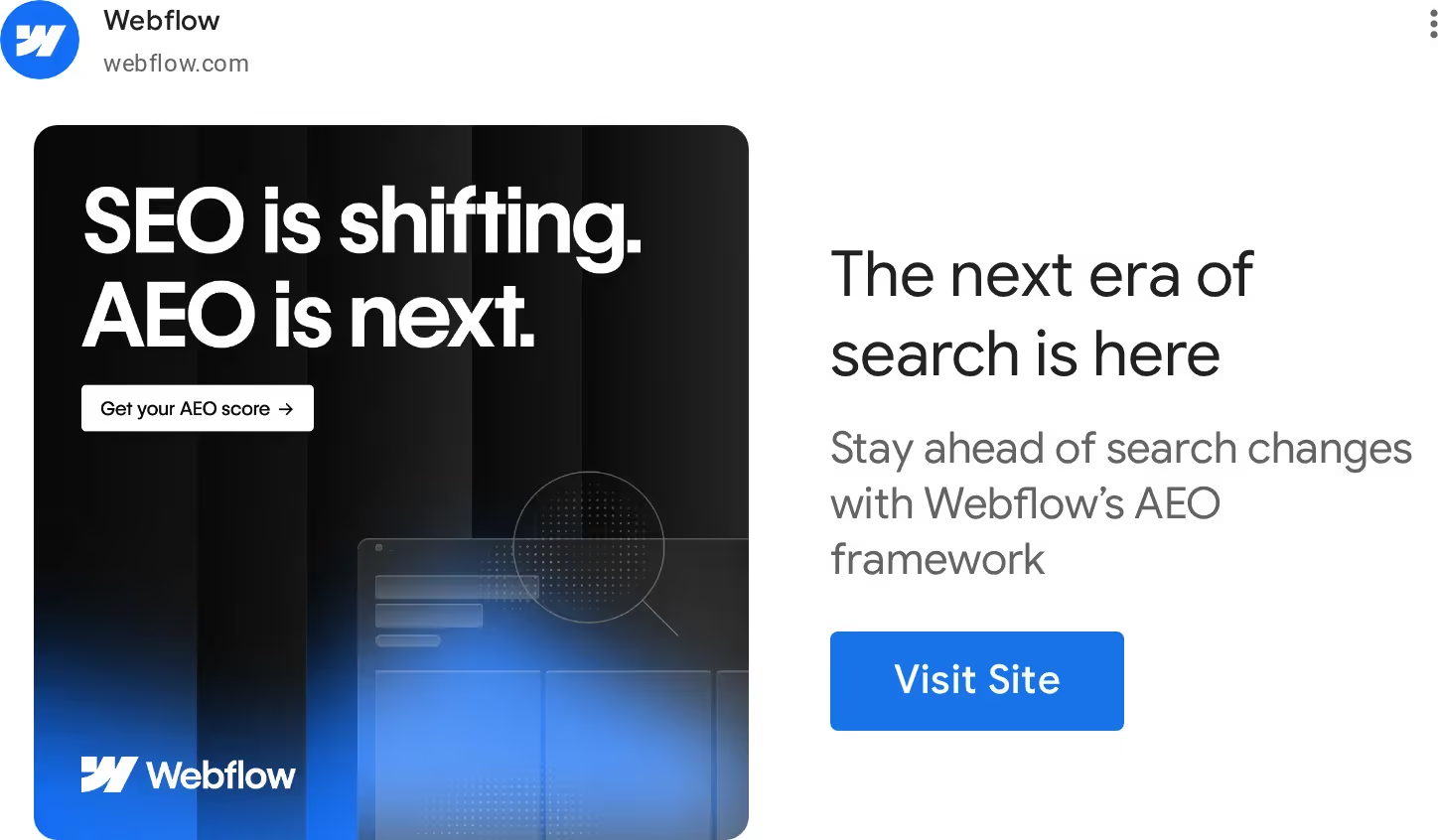
- Hook: a trend, Answer Engine Optimization, and the suggestion that readers may be missing out
- Visual: minimalist and clean. Text plays the main role, and the outlines of a laptop and a magnifying glass hint at changes in search
- Brand: the logo is present, and the CTA offers help
Takeaway: Tie your product to a change your buyer already worries about. The curiosity does the work that a feature list cannot.
10. Splunk
Splunk is a platform that collects, stores and analyzes machine data, or logs. It is extremely popular in the United States, Europe and other markets.

Creative breakdown
- Audience: information security managers and boards, the people who can approve the purchase
- Hook: a statistic that one in five CISOs is under pressure because of regulatory noncompliance
- Typography: a bright color for the bold statement, a calmer font for the explanation
- Image: people who look like they are arguing until the CTA shows they are solving a common problem together
Takeaway:
Raise a relevant problem and let the banner hint that you have something to offer. It reads as help, not as a pitch.
How to apply this
- Pick one trend or risk your buyers already discuss, and make sure your product answers it in the landing page's first screen.
- Pair trend-led banners with tight audience definitions. See Google Display Ads targeting options for B2B SaaS teams for how to reach the right audience with this kind of message.
- Use a real statistic with a source you can name, and refresh it at least once a year.
Good vs Bad Display Ads: What Changes When a Banner Gets Fixed
A weak banner usually fails in the same few places: too many ideas, no proof, a vague button, and a visual that does not match the offer. The table shows the pattern, and the three real redesigns below show it in practice.
Display Ad Design Checklist for SaaS Banners
Run every banner through this list before it goes live. A banner that fails the first block rarely gets saved by the rest. To check the campaign behind the banners, use our free Google Ads optimization checklist.
How to apply this
- Add this checklist as a review step. The designer and the campaign owner both sign off.
- If a banner fails the Message checks, send it back before fixing anything else.
- Save each completed checklist. When a banner underperforms, you can see which check was passed too easily.
Final Thought
Great display ads combine one clear message, proof and steady testing. In the ReliableSite case study, structured campaigns, testing and tailored banners helped Aimers grow non-branded purchases 4x and cut branded spend by 64%. Want to see what to fix in your account first? Get a free Google Ads audit from our team.
FAQs
A single, clearly formulated thesis works best. This could be a specific pain point, metric, or product usage scenario. Banners with too much text almost always end up in users' blind spots.

The banner should explain, not sell. The most successful ads in the text show the value of the product. Interface displays, visual metaphors, or familiar work situations only reinforce the idea without directly calling for a purchase.
It is important, but not critical. The interface, screenshots, or recognizable product elements accelerate understanding of the offer and increase trust, especially in complex B2B SaaS solutions.
They increase brand awareness, and different situations show the range of product usage. This leads to a higher CTR in search and a lower blended CPL. The user is already familiar with the product, so they make a decision faster.
Expecting quick SQLs. Display advertising rarely works as a standalone sales channel. Its best use is to support an overall PPC strategy, enhancing Search, Video, and other types of Ads.
October 7, 2026
October 6, 2026