8 LinkedIn Video Ad Examples and Best Practices for B2B SaaS

September 28, 2026

Let’s delve into the best practices for creating LinkedIn video ads that resonate with viewers and stand out in a sea of AI-generated content. Get ready to elevate your PPC strategy with insights and video ad examples from leading SaaS and tech companies on LinkedIn!
Video has become a core B2B format on LinkedIn, but format alone does not create performance. LinkedIn's 2025 B2B Marketing Benchmark reported a 12% year-over-year increase in B2B advertisers using video, a 34% increase in video completions, and a 3.8-point increase in view-through rate. These platform findings show momentum, not a guaranteed result for every advertiser.
Engagement on LinkedIn is up 44% YoY, and brands have increased their posting frequency by 10%, according to the 2026 study by Socialinsider. One of the 2026 trends will be a continued rapid growth of LinkedIn as a platform for marketing. It will be especially vital for the B2B segment, as 80% of B2B clients use LinkedIn, according to eMarketer survey.
Another marketing and PPC trend for 2026 is the rise of video. It emerges as a trusted and authentic format – since any text can now be easily generated by AI, and it weakens the audience’s trust.
“Because AI content will continue to proliferate, uniqueness will increase in value. Video does this where written form doesn’t anymore – we can’t tell if a ghostwriter or AI is producing what we’re reading. And since AI is so fallible, this erodes trust.”
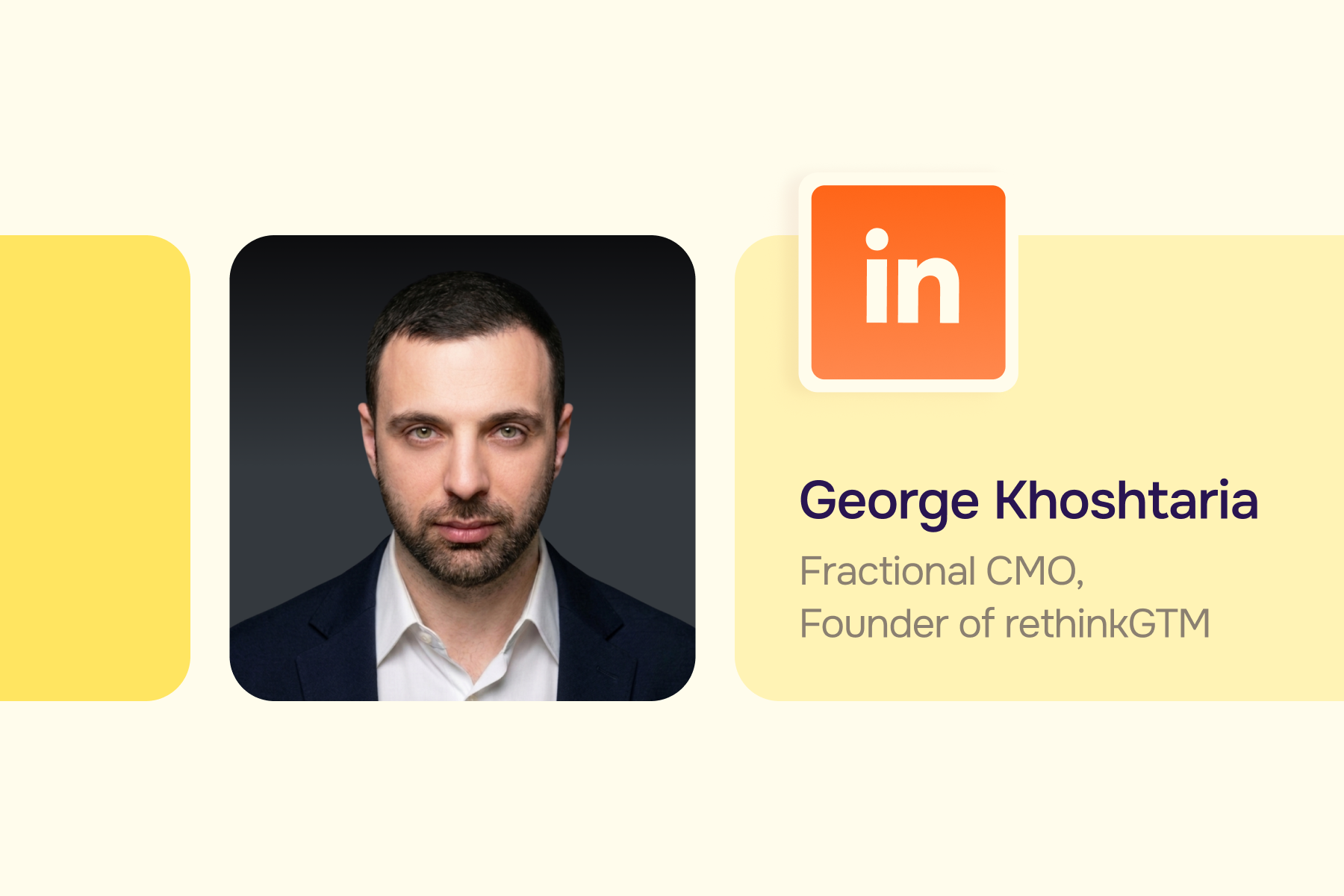
– Oren Greenberg, Growth Marketing Advisor for B2B SaaS, Fractional CMO, “Top Experts Share B2B Marketing Trends for 2026”
When it comes to advertising formats for PPC – the same thing applies, video comes to the forefront as an engaging medium to hook your audience (don’t be quick to dismiss the good old text ads, though!)
Let’s take a look at the best practices for LinkedIn video ads for 2026 and beyond, and examples of creative uses of this format by the top SaaS and tech companies. First, we’ll provide 5 general and timeless recommendations for your LinkedIn video ads, and follow up with the 5 best practices specifically for 2026.
LinkedIn Video Ad Examples Compared
8 LinkedIn Video Ad Examples to Study
1. Zoho Workplace Turns Office Friction Into a Sitcom

Zoho Workplace created a series of 30- to 40-second mini office sitcoms about disconnected apps, difficult contracts, and privacy concerns. Each episode dramatized one recognizable frustration before contrasting it with an integrated workplace suite. LinkedIn reports that the campaign used video for broad awareness in India and Connected TV for reach in the United States.
Why it works: The characters make an abstract software problem feel human, while the short episode structure keeps each video focused on one tension. In LinkedIn's case study, the campaign achieved a 12% aided-awareness lift in the United States and an engagement rate 25% above platform benchmarks.
How to apply it: Choose one buyer frustration per script. Let the scene establish the pain before the product appears, then close with one simple contrast between the old workflow and the better state.
2. Slack Makes AI at Work Feel Multiplayer

Slack's current video ad opens with a category-level statement: the future of AI at work is multiplayer. It then positions Slack as the shared place where people and agents already work together, ending with the compact line Everyone needs Slack.
Why it works: The creative does more than announce another AI feature. It reframes the category from isolated one-to-one assistants to visible, collaborative work. The word multiplayer is short, familiar, and ownable for a product built around channels and teams, so the positioning and the product behavior reinforce each other.
How to apply it: Look for a simple phrase that changes how the buyer describes the problem. Then make sure the video visibly proves that phrase through the interface, workflow, or interaction rather than leaving it as a slogan.
3. Smokeball Lets Customers Carry the Message

Legal software company Smokeball recorded customer testimonials and promoted those videos through Thought Leader Ads. The creative combines a real customer's experience with the reach and professional context of LinkedIn.
Why it works: Peer proof reduces the distance between the claim and the evidence. LinkedIn's case study reports 186% growth in return on ad spend for this campaign, but the more transferable lesson is the format: a credible customer voice is often more persuasive than polished brand narration.
How to apply it: Prompt the customer to describe the before state, the turning point, and the measurable or operational change. Keep edits natural, caption the speaker, and match the landing page to the same customer story.
Map each concept to the next buying step through a B2B SaaS demand generation program so awareness creative contributes to later pipeline creation. For more format inspiration, review these best LinkedIn Ads examples.
4. ServiceNow Connects Brand Video With Demand

ServiceNow used Connected TV and BrandLink to broaden its position beyond IT and reach executives in HR, finance, operations, and other functions. Viewers exposed to brand video were then retargeted with demand-generation messaging.
Why it works: The campaign assigns different jobs to different messages instead of forcing one video to explain the category, prove the product, and capture a lead. LinkedIn reports a 19-point lift in aided awareness and a 45% higher likelihood to complete a lead form after CTV exposure in this campaign.
How to apply it: Define the role of each asset before production: build memory, explain, prove, or convert. Create a sequence in which the second message recognizes what the viewer has already seen.
5. Gong Uses Anthropic to Turn a Product Claim Into Proof

Gong's current video ad leads with centralized insights, stronger collaboration, and a quantified speed improvement, then asks why Anthropic trusts Gong to support seller effectiveness. The headline, Anthropic's Go-To-Market Secret, turns the customer name into the hook rather than treating it as a logo at the end.
Why it works: A recognizable customer creates immediate curiosity, while the result makes the story relevant to revenue leaders. Gong's linked customer story reports a 64% increase in seller productivity and 46% faster ramp times as part of Anthropic's broader operating changes. The ad works because the brand, proof point, and audience problem appear before a generic product pitch.
How to apply it: Lead with the customer outcome your audience wants, then reveal the workflow behind it. Keep the metric consistent across the video, copy, customer story, and landing page, and explain the conditions behind the result rather than presenting it as a universal promise.
6. Jasper Uses Video to Explain a Positioning Shift

Jasper used in-feed Video Ads, Connected TV, Thought Leader Ads, Carousel Ads, Image Ads, and Document Ads to introduce its move toward a multi-agent platform for marketers. Video carried the rebrand story while other formats added detail and captured demand.
Why it works: A rebrand requires repetition across placements and buying stages. LinkedIn reports that the program generated 226% more qualified leads, reduced CPL by 40%, and increased demo requests by 14% in the campaign.
How to apply it: Write one positioning sentence that every format can express. Use video for the transformation story, then let documents, images, and landing pages prove the use cases without changing the central promise.
7. Webflow Makes a Complex Product Story Concrete

Webflow promotes a creator-led video from Cat Goetze about a miniature 3D version of Cat Labs built in Webflow. The story includes a memorable interaction, clicking into an old Windows PC to reach builder profiles and projects, then explains how the CMS, reusable components, and no-code updates help the experience scale. It connects that real build to Webflow's new Source platform for marketing teams and AI agents.
Why it works: The ad begins with something viewers can picture and inspect, not an abstract claim about flexibility. The creator voice gives the story texture, while details about editing links, reusing components, and maintaining the site connect the impressive visual to practical team value. It feels like a project walkthrough first and a platform argument second.
How to apply it: Use a specific build, workflow, or before-and-after state as the spine of the video. Let the audience see the unusual result, then explain the product capabilities that made it repeatable, maintainable, or scalable.
8. Miro Shows the Product Reinventing Itself in Real Time

Miro's current launch video introduces the Intelligent Canvas by showing AI agents as visible cursors working beside people. The creative moves through HTML prototypes, diagrams, tables, Kanban boards, timelines, presentations, documents, connectors, and third-party agents while keeping one central idea: the canvas becomes shared context for human and AI work.
Why it works: The product's movement carries the explanation. Viewers see agents create and edit rather than hearing a long promise about collaboration. The closing challenge, to bring Miro a harder problem than a few sticky notes, also updates the product's category perception and gives existing users a reason to reconsider it.
How to apply it: When a launch changes what the product is for, demonstrate the new behavior immediately. Use one visual motif throughout the video, such as the agent cursor, and organize multiple features around a single transformation instead of presenting a feature checklist.
For complex products and technical buying groups, Aimers' approach to digital marketing for B2B tech companies provides a broader campaign framework around paid media, conversion, and measurement.
LinkedIn Video Ads Best Practices
Know Your Audience Inside and Out and Speak to Their Pain Points
This goes without saying: your video ads should build on your in-depth knowledge of your audience profiles and their specific pain points. “What’s in it for me?” is the constant tune in everyone’s mind, and you need to address it in your ad.
Think of the audience segment that you target. If your product helps to solve the specific problem that they are actively trying to solve, these people are more likely to watch your video and react to the CTA.
A practical opening makes the segment visible without reciting a persona: show the workflow, constraint, or decision the viewer recognizes. Aimers' LinkedIn Ads management can turn that audience insight into an ongoing program for creative testing, bidding, conversion tracking, and pipeline quality.
Start With a Strong Hook
The first 1–2 seconds of your video are crucial, as the user decides whether to scroll down or to watch your ad. So make sure to place your hook in the very beginning of your ad. It can be:
- A relatable scenario with focus on emotions
- A thought-provoking question
- A bold assertion
- A clearly stated problem
- Humor
- A clear value that is relevant to your audience
LinkedIn Video Hook Bank for B2B SaaS
- Problem recognition: Still reconciling this workflow across three tools?
- Role callout: For RevOps teams fixing attribution before the board meeting.
- Outcome first: Here is how one team cut the handoff from hours to minutes.
- Contrarian insight: More leads will not fix a qualification problem.
- Product proof: Watch the task move from request to completed workflow.
- Customer proof: We asked a customer what changed after the first 30 days.
- Pattern interrupt: Show the broken process visually before naming the product.
Keep It Short and Engaging
This one sounds almost obvious but bears repeating: make sure your ad is short and engaging enough to keep the audience’s attention.
Short is not a fixed number. Use the shortest duration that completes the intended job. A single pain-and-promise ad may need 10–20 seconds, while an expert explanation or customer story may need longer. The first idea should still arrive immediately, and every scene should earn its place.
Focus On Storytelling and Customize for Different Audiences
Storytelling is crucial for B2B, as B2B customers are not different from B2C audiences in the way that they crave the transformation that comes with good storytelling.
Make sure you tailor the stories you tell for different segments of your audience, as personalization is key.
Personalization does not require a separate production for every job title. Keep the core story, then vary the opening problem, speaker, use case, proof point, and CTA for each meaningful segment. Map each version to a buying stage through B2B SaaS demand generation so awareness creative supports later pipeline creation.
Do Not Leave Your Audience Hanging
The effectiveness of your ad hangs not only on a strong hook, but also on an equally strong call to action. Use a CTA at the end of your video and in the post copy. Tell your audience exactly what action you want them to take.
Match the CTA to intent. Use Learn More or Watch when the video introduces a problem, Read the Customer Story when it offers proof, Register for an event, and Request Demo only when the audience and message justify a higher-friction step.
LinkedIn Video Ad Specifications
LinkedIn's current Sponsored Content specifications allow MP4 video with AAC or MPEG4 audio, a 30 fps frame rate, file sizes from 75 KB to 500 MB, and duration from 3 seconds to 30 minutes. Supported ratios include 4:5, 9:16, 16:9, and 1:1. Verify the official specification page before export because platform requirements can change.
Official source: LinkedIn video ad specifications. Keep essential text, faces, product UI, and logos away from the edge so overlays and crops do not hide them.
How to Use LinkedIn Ad Library for Video Research
LinkedIn Ad Library is a free research tool for reviewing current ads. Search one advertiser or category at a time, note the country and date range, and record the advertiser, format, opening frame, hook, offer, CTA, landing page, and visible run dates. Save a screenshot and review date because individual detail URLs may later become unavailable.
A long run time or polished production is not proof of performance. The library does not show qualified-lead rate, pipeline, revenue, or the advertiser's test design. Use it to develop hypotheses, then validate those ideas in your own account.
Open the LinkedIn Ad Library and compare video with the brand's image, document, and thought-leader creative. That broader context reveals whether video is introducing the problem, explaining the product, or supporting a larger sequence.
How Aimers Turns LinkedIn Video Into Pipeline
Aimers plans LinkedIn video as part of the complete acquisition system: audience, offer, creative concept, landing page, tracking, retargeting, and qualified pipeline. We also create video assets for client advertising campaigns, from concept and script through editing, captions, CTA end cards, and platform-ready variations. Our LinkedIn Ads agency can build the campaign and testing program around the outcomes that matter after the view, including MQLs, SQLs, opportunities, and revenue.
Don’t hesitate to drop a line to our sales team here to discuss your needs and what we can do for you.
FAQs
As AI-generated text becomes more prevalent, it has become harder for audiences to distinguish between human-led insights and automated content. Video serves as a "trust signal", it provides an authentic, human element that is difficult to forge, helping brands build deeper credibility in a skeptical market.

While LinkedIn allows videos up to 30 minutes, the most effective ads for engagement are typically short and punchy. Leading examples from companies like Mailchimp show that even a 15-second video can successfully tell a story and provide a clear value proposition.
In 2026, vertical video (9:16 or 4:5) is highly recommended. With the rise of "smartphone-made" content and mobile browsing, vertical formats feel more native and less like a traditional commercial, often resulting in higher engagement rates.
Since 80% of LinkedIn videos are watched without sound, you should always include clear captions or on-screen text overlays. Designing your ad to be "visually led" ensures your message is delivered even in a silent scrolling environment.
You have approximately 1–2 seconds to hook a viewer. Start with a bold assertion, a relatable emotional scenario, or a direct answer to a specific pain point. Avoid long intros with company logos; get straight to the "What’s in it for me?"
October 7, 2026
October 6, 2026